
PCS™ Flash Cards1.6 - App Store
You'll be able to see results in few seconds.
Publisher Description
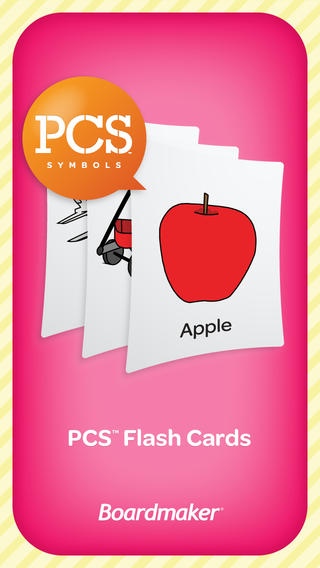
PCS Flash Cards App
Students can use the Picture Communication Symbols (PCS ) Flash Cards App to practice vocabulary, articulation, language and rhyming words in a fun, mobile way. This App is great for general education students as well as students with autism, Down Syndrome and Language delays. This Flash Card App is specifically designed for Teachers, Special Education Teachers, Speech-Language Pathologists (SLPs), Parents and Caregivers.
Picture Communication Symbols have been widely used around the world for more than 25 years in Boardmaker software, DynaVox communication devices and other AAC devices.
For full detail on all PCS Apps, visit www.mayer-johnson.com/apps
Education Uses
Students can use the PCS Flash Cards App to practice vocabulary, articulation, language and rhyming. This App is great for classroom activities or for continued practice at home. You can turn off text labels to practice listening skills and turn off voicing of words if a student needs to practice silently.
Speech Therapy Uses
Speech therapy can start with the tap of a button! Whether you have an iPad, iPhone or iPod touch, this App can go wherever you go. The PCS Flash Cards App works great for SLPs who frequently move between different classrooms and facilities. You can customize the PCS categories to fit individual speech therapy goals. For example, you can hide PCS Symbols to focus on words that reinforce the specific letter or phonology sounds your client is practicing. You can also use this App to teach new symbols for AAC device users.
Parent Uses
Parents can use the PCS Flash Cards App to continue vocabulary, articulation, language and rhyming lessons at home or on the go. This App is a convenient way to turn a 10-minute car ride into a great time to practice and learn.
How to purchase the full version of the PCS Flash Cards App:
The PCS Flash Cards App is free to download and you can purchase the full version on the iTunes store.
The full version of the PCS Flash Cards App includes:
Vocabulary
Actions & Emotions (More than 140 PCS Symbols)
Animals & Plants (More than 200 PCS Symbols)
Basic Concepts (More than 200 PCS Symbols)
Body & Clothes (More than 120 PCS Symbols)
Family & Jobs (More than 120 PCS Symbols)
Food (More than 230 PCS Symbols)
Holidays (More than 160 PCS Symbols)
Places & Signs (More than 140 PCS Symbols)
School (More than 110 PCS Symbols)
Sports & Hobbies (More than 140 PCS Symbols)
Things (More than 270 PCS Symbols)
Vehicles (More than 110 PCS Symbols)
Articulation
P (60 PCS Symbols)
B (60 PCS Symbols)
M (60 PCS Symbols)
N (60 PCS Symbols)
K (60 PCS Symbols)
G (60 PCS Symbols)
T (60 PCS Symbols)
D (60 PCS Symbols)
F (60 PCS Symbols)
V (60 PCS Symbols)
J (60 PCS Symbols)
S (60 PCS Symbols)
Z (60 PCS Symbols)
L (60 PCS Symbols)
R (60 PCS Symbols)
Vocalic R (265 PCS Symbols)
SH (60 PCS Symbols)
CH (60 PCS Symbols)
TH (60 PCS Symbols)
S Blends (70 PCS Symbols)
L Blends (60 PCS Symbols)
R Blends (70 PCS Symbols)
More R Blends (55 PCS Symbols)
Language
Opposites (100 PCS Symbols)
Synonyms (100 PCS Symbols)
Adjectives (100 PCS Symbols)
Rhyming
Rhyming Words Series 1: A (100 PCS Symbols)
Rhyming Words Series 2: E (100 PCS Symbols)
Rhyming Words Series 3: I (100 PCS Symbols)
Rhyming Words Series 4: O (100 PCS Symbols)
Rhyming Words Series 5: U and Y (100 PCS Symbols)
All Rhyming Words: A, E, I, O, U and Y (500 PCS Symbols)
Requires iOS 4.3 or later. Compatible with iPhone, iPad, and iPod touch.
About PCS™ Flash Cards
The company that develops PCS™ Flash Cards is Tobii Dynavox LLC. The latest version released by its developer is 1.6.
To install PCS™ Flash Cards on your iOS device, just click the green Continue To App button above to start the installation process. The app is listed on our website since 2011-08-09 and was downloaded 0 times. We have already checked if the download link is safe, however for your own protection we recommend that you scan the downloaded app with your antivirus. Your antivirus may detect the PCS™ Flash Cards as malware if the download link is broken.
How to install PCS™ Flash Cards on your iOS device:
- Click on the Continue To App button on our website. This will redirect you to the App Store.
- Once the PCS™ Flash Cards is shown in the iTunes listing of your iOS device, you can start its download and installation. Tap on the GET button to the right of the app to start downloading it.
- If you are not logged-in the iOS appstore app, you'll be prompted for your your Apple ID and/or password.
- After PCS™ Flash Cards is downloaded, you'll see an INSTALL button to the right. Tap on it to start the actual installation of the iOS app.
- Once installation is finished you can tap on the OPEN button to start it. Its icon will also be added to your device home screen.
Program Details
System requirements
Download information
Pricing
Version History
version 1.6
posted on 2011-08-09
Disclaimer
Official App Store Link
We do not host PCS™ Flash Cards on our servers. We did not scan it for viruses, adware, spyware or other type of malware. This app is hosted by Apple and passed their terms and conditions to be listed there. We recommend caution when installing it.
The App Store link for PCS™ Flash Cards is provided to you by apps112.com without any warranties, representations or guarantees of any kind, so access it at your own risk.
If you have questions regarding this particular app contact the publisher directly. For questions about the functionalities of apps112.com contact us.
